USB Data Blocker: Features, Benefits, and Safe Charging Tips
A USB data blocker helps protect your phone while charging through public USB ports. Learn how it works, its benefits, limitations, and safe charging tips.
Smartphones and tablets (and other electronic devices) require routine charging. Public charging stations are used at railway stations, shopping malls, hotels and airports, among other locations. The stations are handy if a battery is getting low. An unfamiliar USB port, however, could cause security issues as USB lines can transmit power signals as well as data.
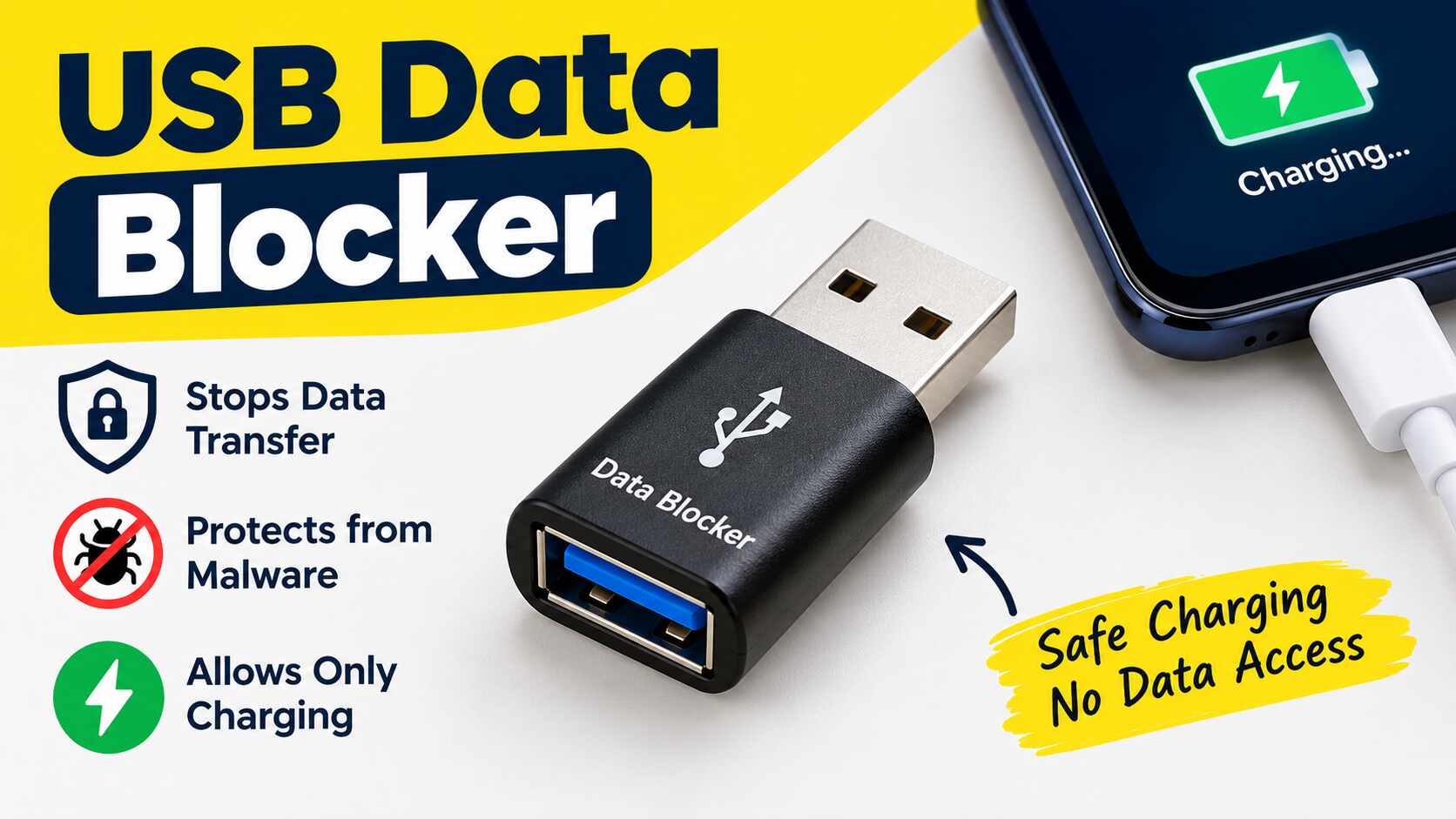
For this reason, there are small accessories known as USB data blocker to minimize this risk. It enables power to be supplied to your device while preventing any data transfer over the USB cable. This may be helpful if you need to charge your cell phone away from home.
What Is a USB Data Blocker?
A USB data blocker is a miniaturized adaptor that can be inserted in between the charging port and the device. It is primarily intended for charging, but not for data communication via the connection. Also referred to as a “charge-only” USB adapter. It’s also known as an informal term in cybersecurity, called “a USB condom.”
Information and electricity can be transmitted simultaneously through a regular USB connection. This enables charging of a phone, transferring of files, accessories and communication with a computer.
How Does a USB Data Blocker Work?
A USB connection contains pathways for power and data. If that is the case, a data-blocking adapter will interrupt data connections and separate these functions.
In general, this process goes like this:
- Connect the adapter: Plug the blocker into an appropriate USB charging port.
- Plug in the cable: Plug your charging cable into the adapter.
- Plug device into phone or tablet: This is the other end of the cable, which you have to plug into your phone or tablet.
- Power: The source to which you connect your device to get electricity.
- Limit data transfers: No normal USB data transfers can occur via the blocked paths.
This design varies according to the type of connector and product. Basic USB-A accessories and their wiring may be easier and simpler to design than USB-C accessories.
Key Features of a USB Data Blocker
Understand the features that make a blocker useful before choosing one.
1. Charge-Only Function
Its main thing is that it lets electricity go through, but it doesn’t let USB data transfer. This way you can prepare a compatible device without the port being used for regular file transfers.
2. Compact and portable design
Most models will fit into a pocket, backpack or travel pouch. There are some products that are made to attach to a key chain so they can be taken with you more easily.
3. Simple Setup
Some adapters don’t need an application, account, or software installation. The device is connected in between your power source and charging cable.
4. Compatibility with different devices
The blocker may be compatible with other USB powered electronics, such as smartphones, as well as other tablets and models, depending on specific model. However, there are different types of connectors and charging needs.
Prior to purchasing the accessory, verify if it supports USB-A, USB-C or another connection.
5. Physical Data Protection
A hardware blocker, unlike software, will disrupt the data pathway. This can help to add an additional layer of security when charging from an unknown USB device.
Also Read : InfluencersGoneWild
Benefits of Using a USB Data Blocker
Users might want to use this accessory for a number of reasons.
- Limits data exposure: It is intended to stop data communication via the dis-connected USB port.
- Easy travel protection: It is easily carried when visiting airports, hotels, shopping centres or other public locations.
- No software installation: Most basic models work as physical adapters.
- Accessory that can be used again: A compatible reusability accessory with supported cable/accessory and charging sources.
- Extra security: It also decreases reliance on the security of a strange USB port.
These benefits only apply to USB data protection. Do not use a blocker instead of general security measures like maintaining the current operating system and using trusted charging equipment.
Limitations You Should Know
While a data blocker can be beneficial in some cases, it is not a full security solution.
Charging speeds may be reduced
There are some models that only allow for basic charging. They may not support technologies for rapid charging which involve extra communication between the device and charger. Before purchasing an adapter, verify the power output and charging standards supported by the device for charging speed if it is important.
Compatibility Is Not Universal
There are a number of different connectors and charging protocols utilized by different devices. An accessory that is intended to fit only the standard USB-A port will not fit a USB-C port unless the USB-C port is configured for the appropriate USB-C accessory. Not all models work with all smart phones and tablets.
Does not block all cyber threats
The adapter is meant to stop data from going through a certain USB port. Not protection against attacks using Wi-Fi, Bluetooth, malicious applications, phishing links or any other form of communication.
Product Quality Can Vary
All products that are sold with the same name are not the same. The accessories might not provide the protection they claim if they are not properly made.
USB Data Blocker vs. Regular USB Cable
A regular USB cable and a data-blocking adapter serve different purposes. The following table explains the main differences.
| Feature | Regular USB Cable | Data-Blocking Adapter |
| Charging | Supports compatible charging | Supports charging when compatible |
| Data transfer | Usually supported | Designed to block data |
| File transfer | Possible with supported devices | Normally unavailable through the blocked connection |
| Public charging | Depends on the connected port | Adds protection against USB data communication |
| Setup | Connect the cable directly | Place the adapter between the source and cable |
| Fast charging | Depends on cable and charger | Depends on the adapter and supported protocols |
A regular cable is suitable for everyday charging and file transfers. A blocker is more appropriate when you want to charge through an unfamiliar USB port without allowing normal data communication.
How to Choose the Right USB Data Blocker
Before buying an adapter, take into account these points.
Check the Connector Type
First one needs to determine the port available on the charging source and the connector that is needed by the device. Ensure that the adapter is compatible with your setup and won’t need incompatible accessories.
Review Charging Support
Verify the available voltage, current and charging specifications. If your phone has fast charging capabilities, check if the blocker is able to fast charge the phone at the necessary speed.
Choose a Reputable Brand
Check the product details, manufacturer details, and customer reviews are genuine. Don’t buy something because of a marketing message, like full coverage or cross-compatibility.
Consider Build Quality
It should fit snugly and be sturdy in design. Loose connections or damaged accessories can cause charging to be interrupted as well as cause practical problems.
Understand Its Intended Use
There are products that are compatible with standard USB charging and some that may be compatible with certain types of connectors or charging protocols. Choose one which fits your real needs.
Final Thoughts
USB data blocker is a simple accessory to enhance the privacy of charging by passing the power but blocking data communication. It may be helpful to charge at airports, hotels and other public areas. For many consumers, having an individual wall charger or a power bank to power their device is simple to avoid unfamiliar USB charging ports. Enabling devices with trusted charging equipment, new software, and prudent security practices are reasonable methods to keep devices safe.